 Outer Space
Commander's handbook
Manual
Everything you need to join a galaxy and get through your first days. Outer Space has a deep rule set; this guide covers the basics and leaves the rest for you to discover.
Time and turns
Outer Space runs on a real-time clock. The server processes a turn at fixed intervals, for everyone at once, whether or not you are logged in. Between turns you give orders; at the turn they are carried out.
- One turn is one game hour; 24 turns make a game day.
- The game is designed for one turn per real hour.
- All times in the game — construction, research, travel — are shown as
days:hoursof game time.1:06means 30 turns.
Current speed Our server runs at double speed: a turn every 30 minutes, so a game day passes in 12 real hours.
You don't need to be online for every turn. Queues keep working while you are away: construction and research queues hold several items, and fleets carry multi-step orders. Logging in two or three times a day is plenty, especially early on.
Stay active A commander who doesn't log in for 28 days is removed from the galaxy, and a small empire (under 4 planets) after 14 days.
Joining a galaxy
The game is divided into galaxies. Each galaxy is a separate game with its own map, players and clock. One account can play in several galaxies, with one position in each.
- Create an account. Open the game, choose Create account and pick a login, a commander name (this is how other players will see you) and a password.
- Sign in. Keep Remember me on this browser checked and you will be signed in and taken back into your galaxy automatically next time.
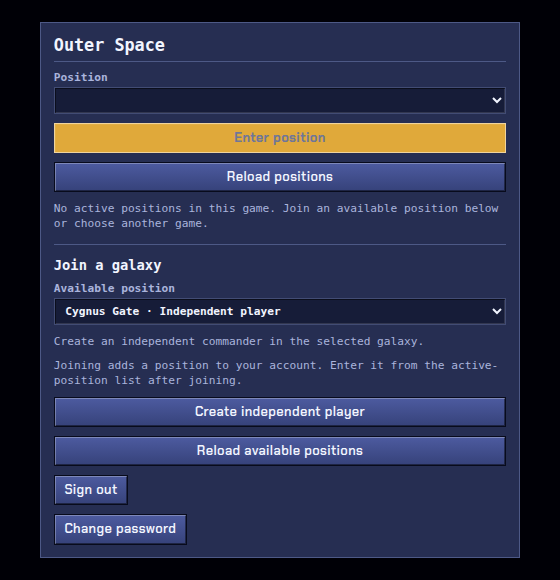
- Choose a position. Under Join a galaxy pick an open galaxy and a starting position, then join it (see the types below).
- Enter position. Your new position appears in the list. Select it and choose Enter position.
Starting positions
| Position | What you get |
|---|---|
| Independent player | A fresh start: your own home planet in a galaxy that hasn't started yet, or has just started. This is the normal way to begin. |
| Rebel faction | When a galaxy starts, every unclaimed start is handed to a computer-controlled rebel. Joining later, you can take over a rebel and continue with its colonies. |
| Pirate faction | A very different, raiding play style. Needs a VIP password from the server administrators. |
Galaxy start A new galaxy waits for players for two game days (48 turns) before its clock starts. Joining before the start puts everyone on an equal footing — and this is the best moment to join.
The screen
Star map
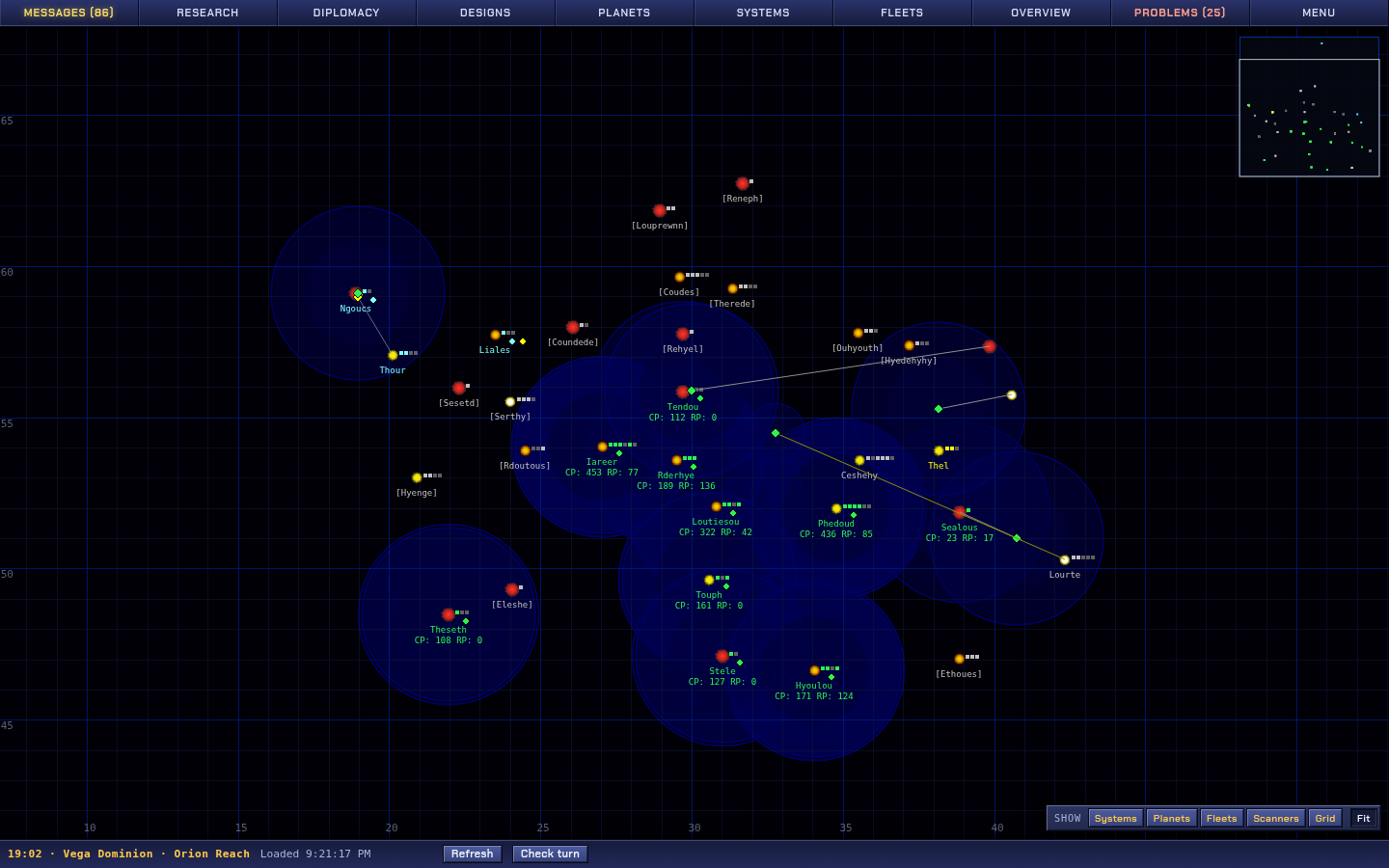
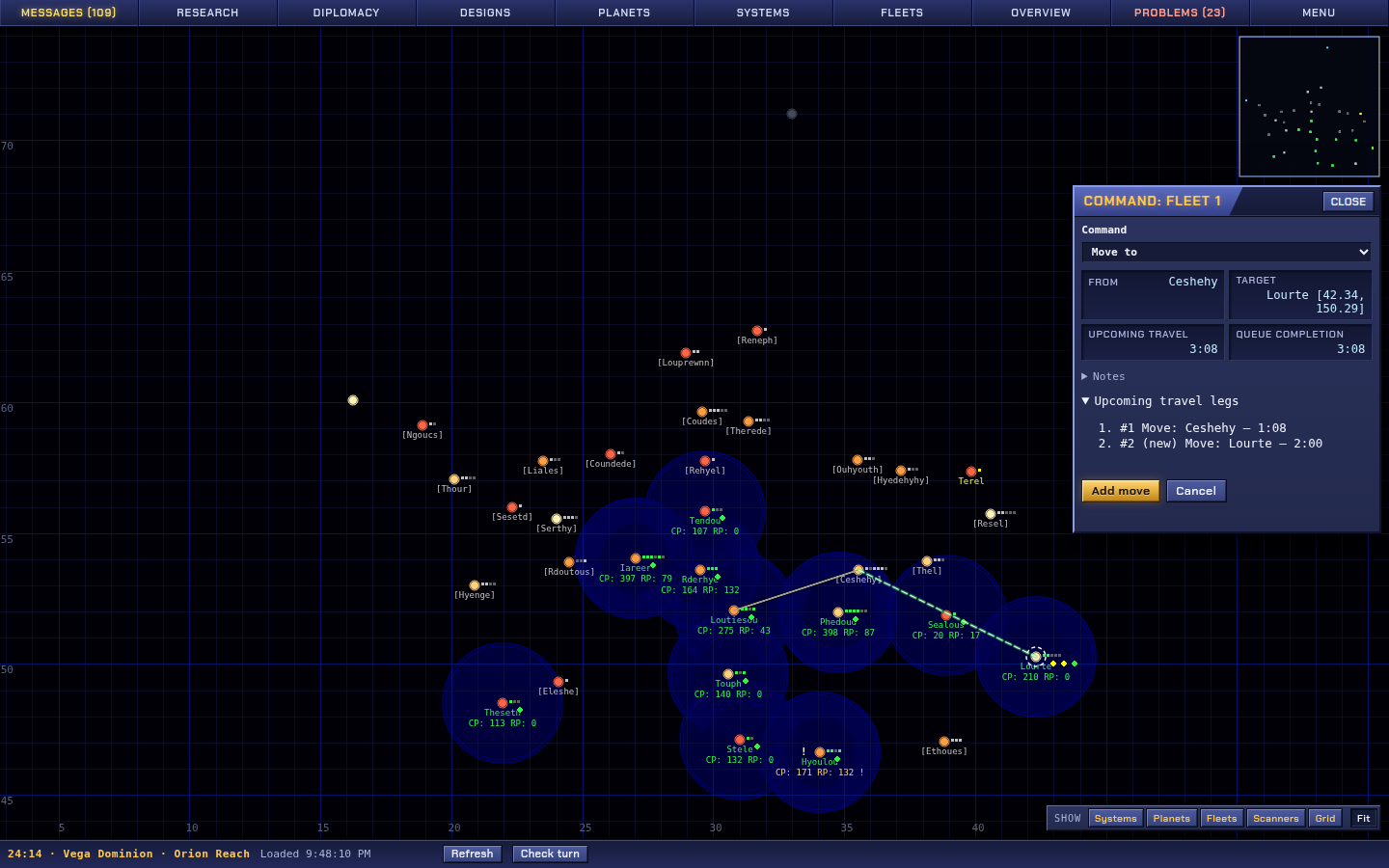
- Stars are star systems; the small squares next to them are their planets. Your planets are green, unclaimed ones grey, other empires in colours that reflect your relations. A name in
[brackets]means you haven't scanned the system yet. - Blue circles show your scanner range — what you can see.
- Click a star, planet or fleet to open it. Hover for a summary.
- Mouse wheel zooms. Right-click (or Shift+click) re-centres the map. Click or drag on the minimap to jump.
- The buttons at the bottom right toggle map layers (systems, planets, fleets, scanners, grid); Fit zooms to show everything.
- Colonies show their production and research (
CP,RP) under their names.
Tabs
| Tab | What it's for |
|---|---|
| Messages | Turn events (things finished, discovered, attacked), galaxy news and mail from other commanders. |
| Research | Choose what to research next and manage the research queue. |
| Diplomacy | Relations and pacts with other empires; your vote for Imperator. |
| Designs | The ship design centre and construction. |
| Planets / Systems / Fleets | Lists of everything you own, with search, sorting and Locate on the map. |
| Overview | Empire totals: population, production, research, fleets. |
| Problems | Your to-do list: idle production, empty research queue, starving colonies, fleets low on fuel. The number on the tab counts critical problems. |
| Menu | Preferences, search, sign out and changing position. |
Status bar
Shows the current turn as day:hour, your name and galaxy. The game checks for new turns by itself and reloads when one arrives; Refresh reloads immediately.
Your first day
You start with one home planet, a few basic buildings, and a small fleet: two Scouts, two Fighters and a Colony Ship. A good first session looks like this:
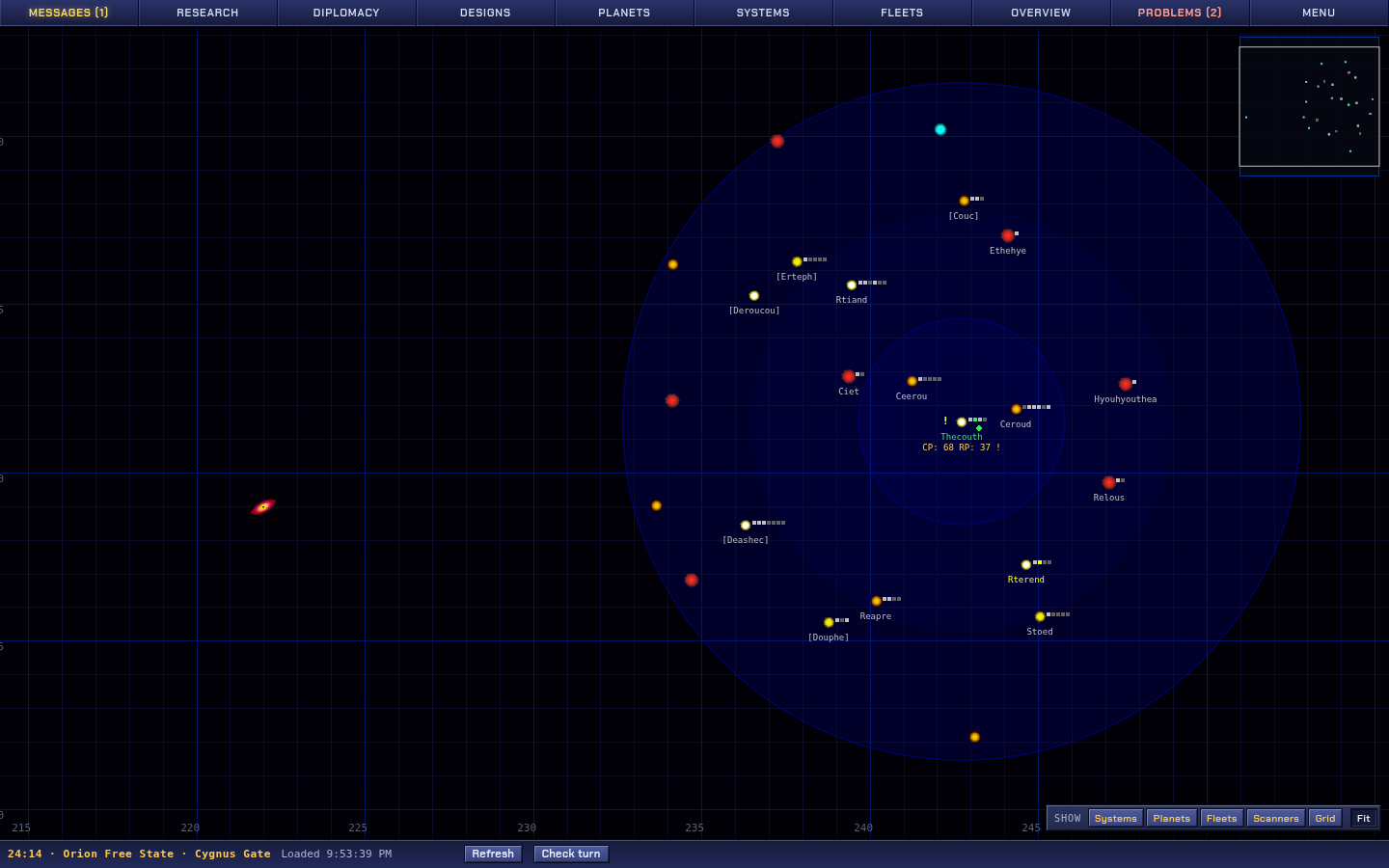
- Read your messages. Galaxy news tells you when the galaxy starts and when elections are held.
- Start research. Open Research and queue a few technologies. Improving your Research Laboratory and Factory early pays off for the whole game. Never leave the queue empty.
- Queue construction. Click your home planet. In the planet view choose Build (or click an empty slot) and add buildings: Factories for production, Farms for food, power plants for energy, Research Laboratories for research. Queue several items so production never sits idle.
- Explore. Open your fleet, split off the Scouts and send them out with Move — or use Scout wave to send several scouts to different targets at once. Systems you scan reveal their planets.
- Colonize. Pick a good planet — ideally in your home system or a nearby one — and send the Colony Ship there with Colonize. On arrival it builds an Outpost and the planet becomes yours.
- Check Problems. Anything critical shows up there. Then log off and let the turns roll.
Running a colony
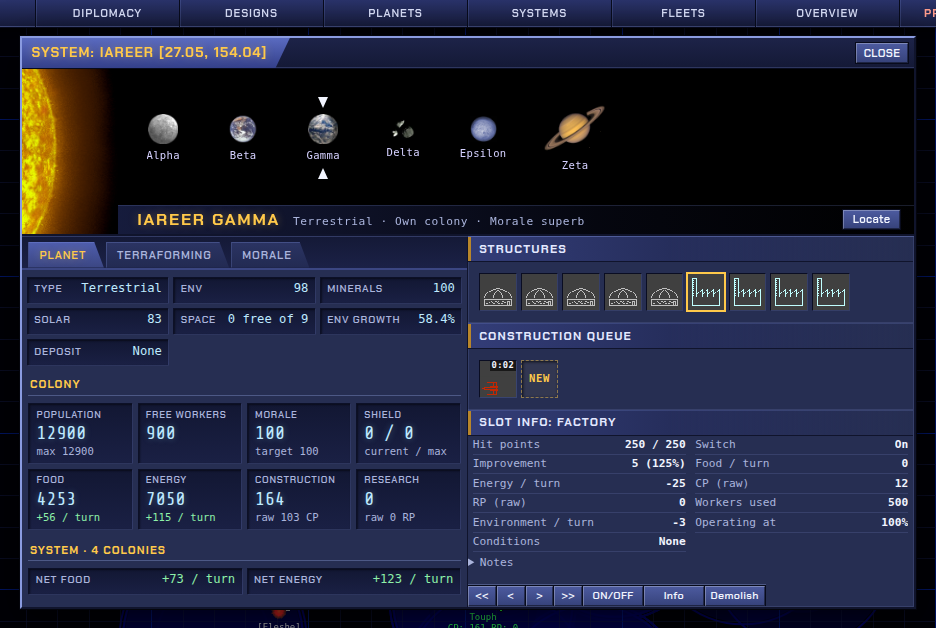
A colony is its population and the structures built on its surface. A planet has a limited number of slots, one per structure.
| Resource | What it does |
|---|---|
| Population | Grows by itself while there is food and housing. Structures need workers; a building without enough of them runs at reduced output. |
| Food | Population eats every turn. A shortage makes people starve, and morale drops. Farms produce food. |
| Energy | Most buildings use energy every turn. Power plants produce it; ships also burn it as fuel. |
| CP — construction points | Production: builds structures and ships. Factories produce it. |
| RP — research points | Pays for research. Laboratories produce it. |
| Morale | Content colonies work better. Morale falls with distance from your capital (your Government Center) and with starvation; very low morale can lead to revolt. |
- Food and energy are shared between your planets in the same system, not across the whole empire. Each system has to balance itself.
- New buildings start damaged and reach full output over a few days as they are repaired.
- Planets differ: from barren rock and asteroids to hostile, marginal, terrestrial and rare Gaia worlds. Better environments support more people. Some planets hold strategic resources needed for advanced technology.
- Production with nothing to build isn't lost entirely — part of it boosts your other colonies — but it is far better spent at home. Keep every colony's queue busy; Problems will remind you.
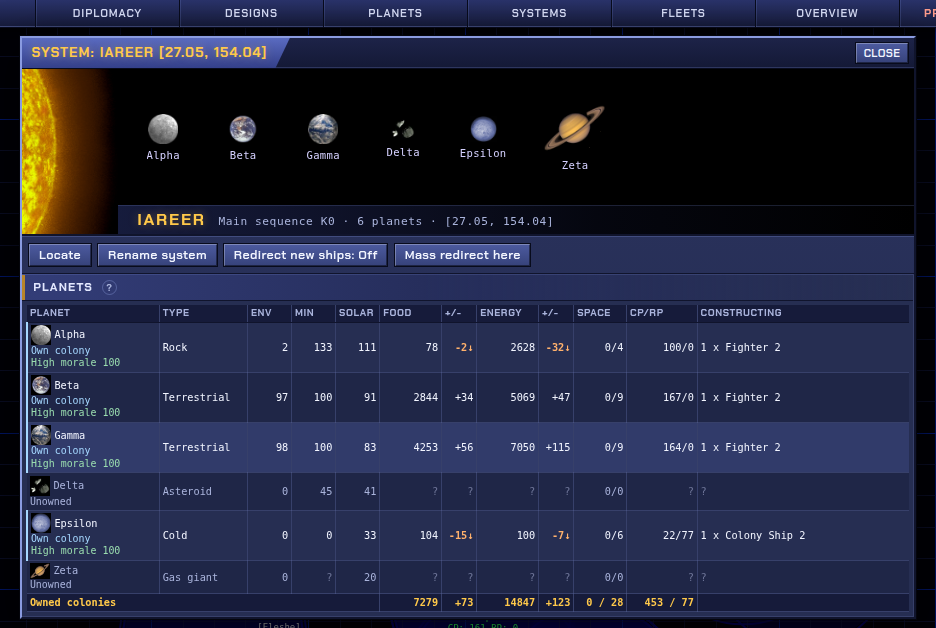
Expanding
New planets are claimed by building an Outpost on them. There are two ways to get one there:
- Within a system you already hold, a colony can build an Outpost directly on a free planet of the same system. Use Colonize in the system overview, or pick the planet as the target in the construction dialog. It costs more than building on your own planet, but needs no ships.
- In another system, you need a ship that carries a colony module, like your starting Colony Ship. Build more in a colony with Space Docks, send the fleet to the target and use Colonize.
Once you have a foothold in a new system, its other planets can be claimed from there. Expanding fast is strong, but each colony far from your capital lowers morale, and a sprawling empire is harder to defend.
Research
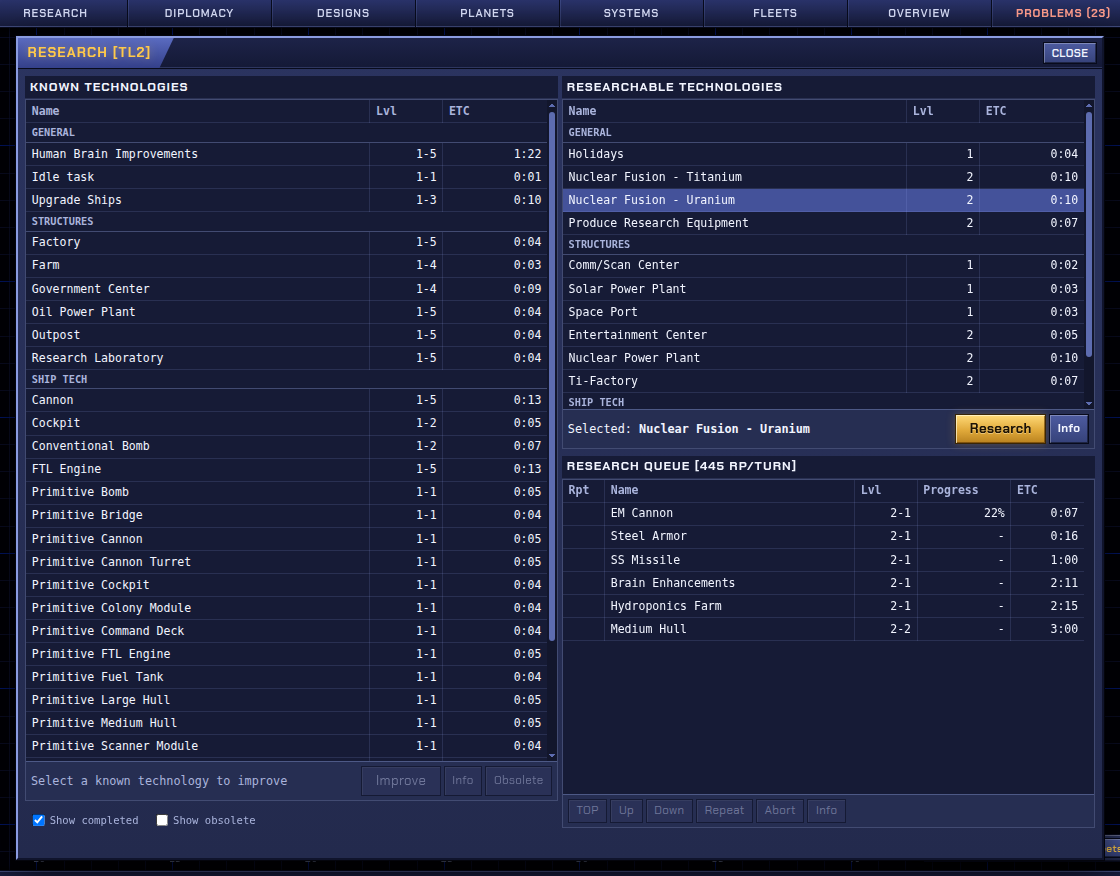
- The tech tree has more than 250 technologies across six tech levels (TL1–TL6).
- Each technology can be improved up to level 5. Improvement makes its structures and equipment more efficient, and higher technologies often require an improved prerequisite.
- Research cost doubles with each tech level. The queue shows the estimated time for each item.
- To reach a new tech level, research that level's key technology and improve it to level 3.
Choosing a race
Reaching tech level 2 means choosing one of three mutually exclusive paths. The choice is permanent and decides much of what you can research later.
| Race | Focus |
|---|---|
| Bionic | Biology. Relies on biomatter; planets improve their environment faster. |
| Human | Research and energy, with balanced needs. |
| Cyborg | Production and robotics. Relies more on minerals, less on biomatter. |
Ships and fleets
Designing ships
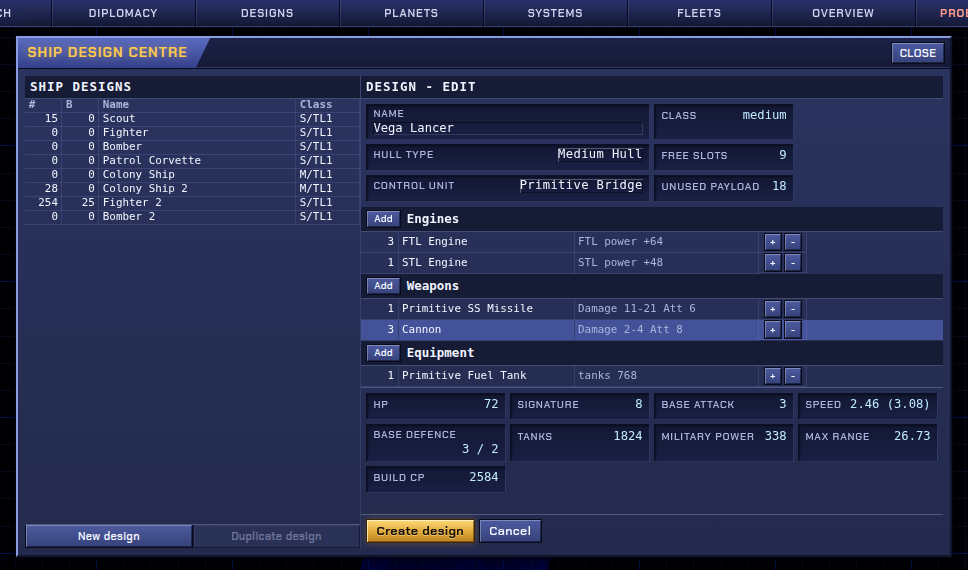
Ships are built from your own designs. A design is a hull, one control module (cockpit, bridge or command deck) and equipment: engines, weapons, armour, shields, scanners, fuel tanks or colony modules, limited by the hull's slots and weight. The Ship Design Centre shows the resulting speed, range, attack, defence and cost. You start with a few ready-made designs.
Moving fleets
- Open a fleet and use Move or Colonize, then click the destination on the map. Orders can be chained into a route; the planned route is drawn on the map.
- Fuel: ships use energy from their tanks every turn and refuel only at your planets (or allies' planets with a refuelling pact). A fleet that runs dry slowly falls apart. Watch the range before sending ships far.
- Fleets can be split and merged. Ships are repaired at Space Docks.
Combat
Combat is automatic. When military ships meet hostile ships or planets in a system, they fight each turn. Military ships fight anyone who doesn't allow them passage; civilian ships such as scouts and colony ships are normally allowed through. Planets defend themselves with their own defences. Attacking an empire ruins your relations with it.
Diplomacy
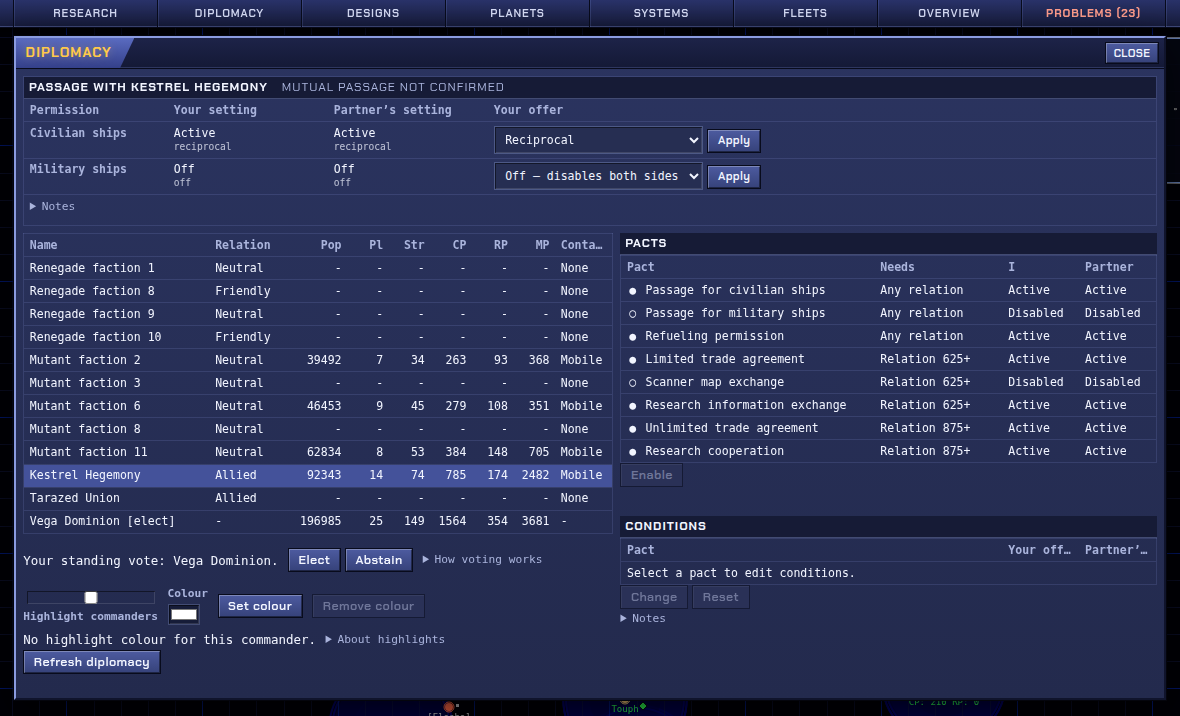
You meet other empires when your scanners find them. Relations run from Enemy through Neutral to Allied. They slowly decay on their own and are built up by keeping pacts:
- passage for civilian and military ships,
- refuelling and repair at each other's planets,
- research and production cooperation, which give both sides a bonus,
- sharing scanner data.
A pact has to be offered by both sides to work. Stronger pacts need better relations. There is no separate state of war: warships fight wherever they aren't granted passage, so switching off military passage is all it takes; a fleet can also carry a Declare War order that does it when the fleet reaches that point of its route.
Use Messages to write to other commanders. In a multiplayer galaxy, talking is a large part of the game.
Other factions
Besides the commanders, galaxies hold computer-controlled factions:
| Faction | What to expect |
|---|---|
| Rebels | Take over starting positions nobody claimed. They expand and research like a player and can be taken over by a new player. |
| Renegades | Small settlements on resource planets. Willing trade partners. |
| Mutants | Spread from diseased planets with seeder ships and mine fields. |
| Pirates | Raiders based on rich resource planets. They capture planets and steal technology. |
| E.D.E.N. | Remnants of a fallen empire near the galactic core, with heavy defences — and valuable planets. |
Winning
In a standard multiplayer galaxy you win by being elected Imperator.
- Every six game days the galaxy votes. Galaxy news announces each election two days ahead.
- In Diplomacy you Elect yourself or a commander you have contact with. Your vote stays until you change it.
- Votes are weighted by the size of each voter's empire (the planet slots they own).
- Two thirds of the votes make the winner Imperator (+10% production and research). Otherwise the candidate with the most votes becomes Leader (+5%).
- An Imperator re-elected in the next election can finish the galaxy and win the game.
A big empire helps, but so do friends who will vote for you. A galaxy also ends when only one commander is left.
Smaller galaxy types exist too: cooperative galaxies, where players win together by eliminating the hostile factions; brawls, where the last commander standing wins; and single-player galaxies for practice.
Tips
- Never idle. Before logging off, check that every colony has something in its construction queue and the research queue is full.
- Check Problems. It lists idle production, starving colonies, fleets low on fuel and an empty research queue.
- Grow your own system first. Free planets in your home system are the cheapest colonies you'll get.
- Mind food and energy per system. A new colony on its own in a distant system needs its own farms and power.
- Scout early. Knowing your neighbours and the good planets near you shapes the whole game.
- Talk to your neighbours. A passage pact costs nothing and avoids accidental fights. Friends vote.
- Think in days. Plan queues to last until your next login, not until the next turn.
Glossary
- Turn
- One game hour; processed on a fixed real-time schedule.
- Game day
- 24 turns. Times are written
days:hours. - Galaxy
- One game: its own map, players and clock.
- Position
- Your empire in a particular galaxy.
- CP
- Construction points: production for structures and ships.
- RP
- Research points.
- Slot
- Space for one structure on a planet's surface.
- Outpost
- The structure that claims a planet.
- TL
- Tech level, 1 to 6.
- Env
- A planet's environment (biology) rating.
- Solar
- How much energy from its star reaches a planet.
- Pact
- A diplomatic agreement, offered by each side.
- Imperator
- The elected ruler of the galaxy.